Meet the latest features, enhancements, and add-ons to help streamline your ASC's operations.
If you have questions or would like to learn more about these features, refer to Online Help or contact SIS Cloud Support.
* indicates an add-on that is available for an additional fee. Please contact your SIS Sales Executive for more information and pricing.
Clinical
Enhance visibility of Case Flags by adding them to your Configurable Tracker Boards. Add or remove flags directly on the Tracker Board for more flexibility.
Configure your checklists for Anesthesia plans in the airway section. Emergence section also allows checklists to be configured.
Improve team communication and elevate patient safety. Nurses can flag critical notes for anesthesia providers, ensuring vital information is seen.
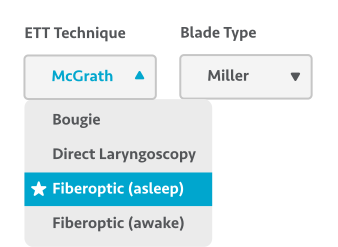
Mark Airway Dictionary items as “Preferred” so they’ll appear at the top of your drop-down lists on your anesthesia plan, making them easier to find.
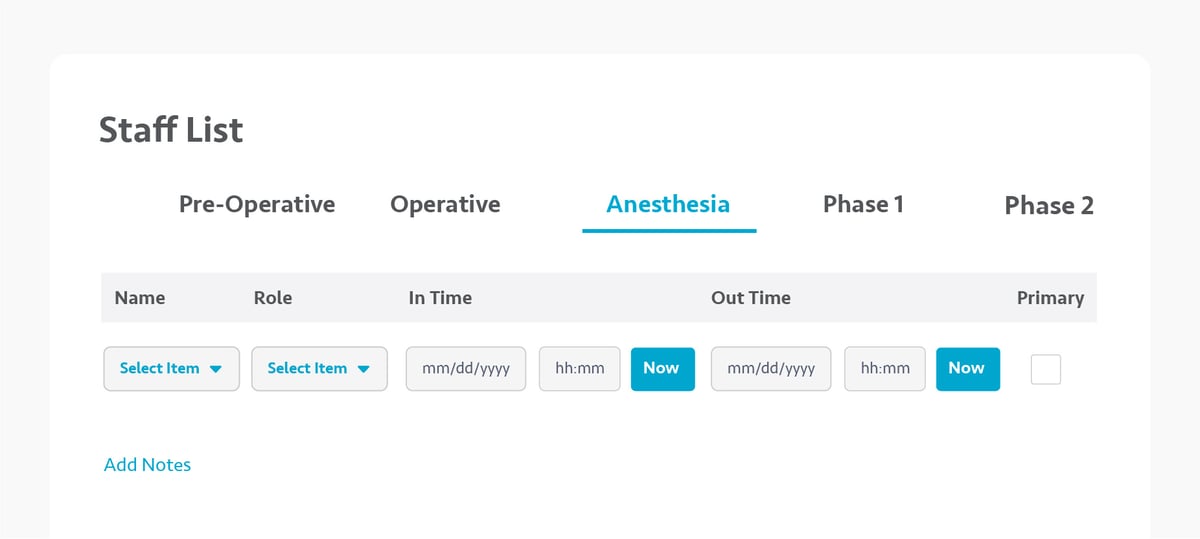
Easily document the Anesthesia care team on the Anesthesia record or Operative department. Staff will appear on the OR Log Book and relevant printouts.

Business Office
Tag Patient Notes with a Category, Code, or Date of Service to make them easier to find. Filter by these tags or by the user who created them.
Streamline communication with off-site billers. Request and exchange information needed for billing and see how outstanding requests impact the revenue cycle.
Automatically flag denied claims so billing teams can respond to denials with greater speed and precision. Use preconfigured denial reasons and add your own.
Ensure inventory data is accurate with real-time updates. Refresh cost, billable status, and quantity on hand, reducing discrepancies for case costing.

Detailed audit trails keep track of all changes made to inventory associated with a case, providing greater transparency into inventory usage.
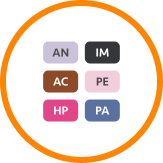
Alert billing staff to important patient or case information that may impact the billing process.
Case Coordination
New statuses let users identify whether a request has been Requested, Responded to, or Completed, so you knows what’s been done and what’s left to do.
Enterprise
Share configurations for remote scheduling capabilities across multiple ASCs, streamlining setup and ongoing management.
Easily manage configurations for the patient portal for multiple ASCs at the enterprise level.
Create and run reports for multiple ASCs. See how centers are performing and make more informed decisions across your entire enterprise.
Data
New Cost Analysis template helps provide a more detailed look at your ASC’s costs. Drill into costs by physician, payer, or procedure. Use as-is or tailor to your needs.
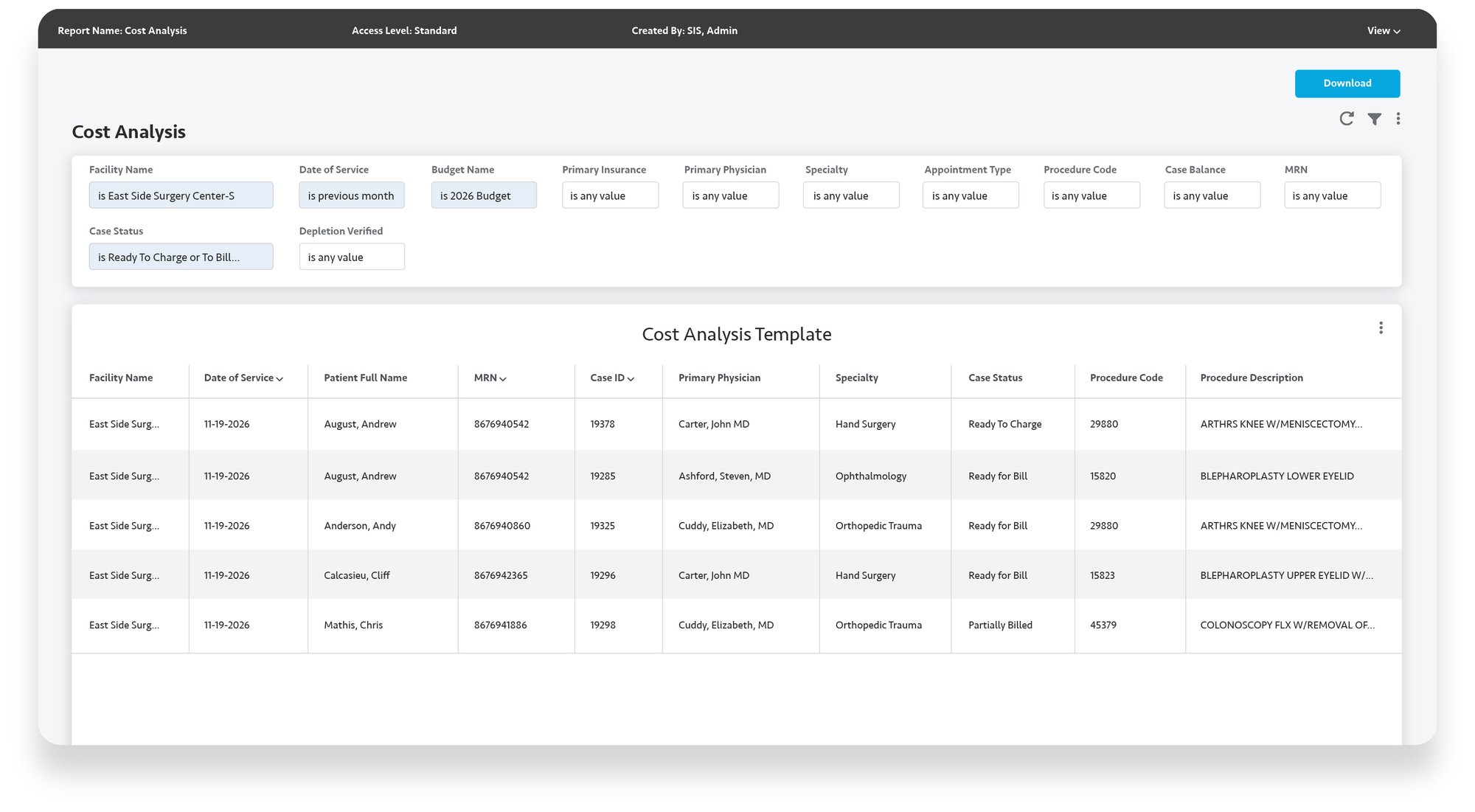
Use data sets for Revenue Cycle Management, Patient and Account Notes, and Financial Clearance to create detailed reports that help drive decision-making.
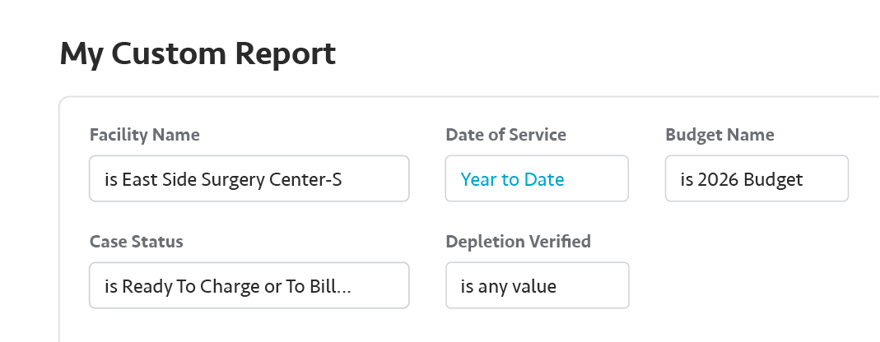
Running data parameters such as Year to Date make it easier to pull in data from years past and compare it to how your ASC is performing today.
Interoperability*
Bring notes from other systems into SIS to eliminate duplicate data entry. Tag Patient Notes with Category, Code, or Date of Service so they are easier to find.
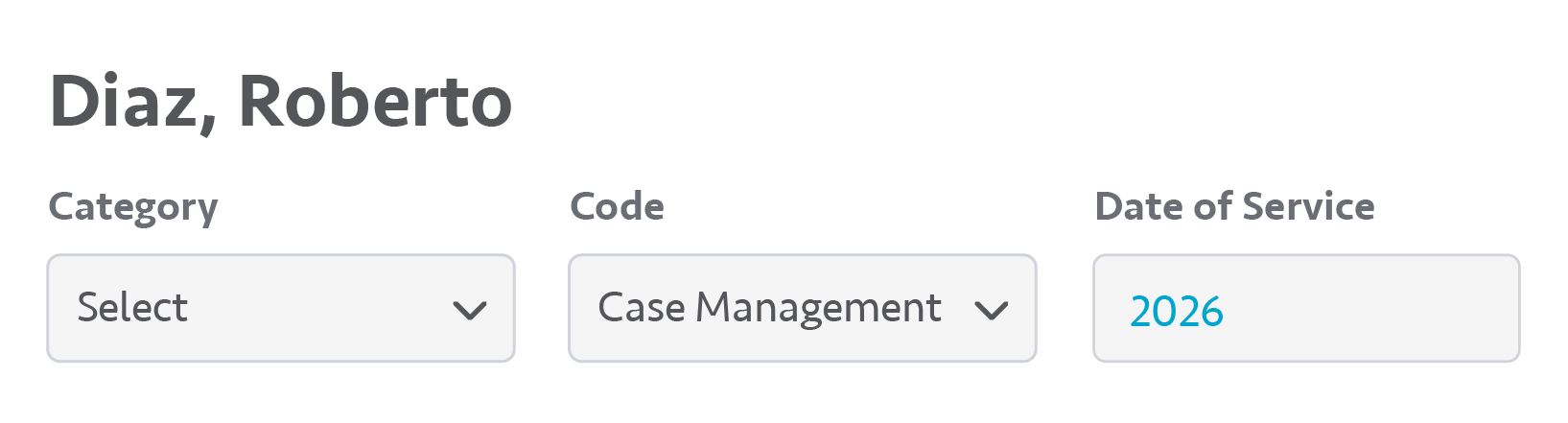
Documents from Inbound Interfaces can be saved from the Patient Chart or Patient Case, helping create a more comprehensive patient record.

Securely send Chart and Case attachments to external systems. Improve data sharing with partners for more coordinated care.

Coding performed in other systems flows into the Charge Entry & Coding Tracker, eliminating the need to manually input information into SIS Complete.

Automatically receive requests for case modifications or cancellations within SIS Office, eliminating the need for extra phone calls and manual changes.

Enhance inbound case requests with additional fields, giving your ASC more detailed information for each case.

Allow surgeon's offices to reinstate cases that were previously canceled, eliminating extra phone calls or emails.
SIS Complete
Configure key patient fields as Mandatory to help ensure a more complete patient record.
SIS Complete
Control who sends Patient Portal invites or messages to Patients and their rides.
SIS Complete
The printout better meets your needs with added info and Portrait/Landscape formats.
SIS Complete
Maintain control over Preference Cards by assigning what actions each user can perform.
SIS Complete
Improve financial clarity by printing rates directly on contracts.
SIS Complete
Keep patient data safe by masking social security numbers throughout SIS Complete.
Clinical
Patient trackers now require MFA for additional security.
Clinical
Update patient location on tracker boards without perioperative in/out times.
Clinical
An Administration count on the Orders section of the Nursing Desktop helps track doses.
Business Office
Ensure staff input a Transaction, Write-Off Group, and Write-Off Reason Codes by making them Mandatory.
Business Office
Easily modify the descriptions of an open Batch or Billing Period for greater flexibility.
Business Office
Allowable amounts for each CPT code can be displayed when printing or saving Contracts.
Business Office
Edit the Transaction Date on Corrections for more accurate reporting and auditing.
Business Office
Set multiple reimbursement methods for Contracts for efficient, accurate payment posting
Business Office
New toggles and filters allow more flexibility when printing the schedule grid.
Business Office
New Categories limit which Transaction Codes can be assigned to Corrections.
Business Office
Default codes for Payments, Debits, and Write-Offs allow for more precise reporting.
Business Office
Generate reports by note category to identify trends and targeted insights.
Business Office
The Coding tracker shows when a case has been depleted to aid with billing inventory.
Business Office
Perform Write-Offs at the Charge level for better ease of use.
Business Office
Negative Balances caused by Unassigned Payments now appear on the RCM Tracker.
Business Office
Quickly find EOBs in the Remittance Posting Tracker with new filtering options.
Business Office
Improve reporting with new customizations for paper and electronic claims.
Business Office
Gain greater control over report access and usage with enhanced permission settings.
Business Office
Require comprehensive data entry by making General Ledger account fields mandatory.
Business Office
Improve electronic remittance posting with support for CDT and revenue code matching.
Business Office
Stay compliant with updates to ASCA, AJJR, NHSN, and CMS Endoscopy Surveillance reports.
Business Office
Pennsylvania and South Carolina reports reflect the latest regulatory requirements.
Case Coordination
Create a Request without scheduling a case to start collaborating on care immediately.
Insights
Make smarter financial decisions by pulling in data for Direct and Indirect Costs.
Insights
Monitor ASC performance and trends over time with new financial and operational KPIs.
Insights
Give users power to create and edit reports or simply grant read-only access.
SIS Advanced
All necessary pre-anesthesia evaluation forms can now be printed in a convenient packet.
Interoperability*
Send the Patient Deposit Amount to other systems for better data sharing.
Interoperability*
Improve data sharing by sending more complete patient demographic fields outbound.
Interoperability*
Improve care coordination by sending automated discharge messages to other systems.
Interoperability*
Save time when migrating from other systems by importing charts in bulk.